
Cash on delivery
Add cash on delivery to the payment methods available in your store.
Add the payment methods your store accepts and manage their availability from the app. Customers choose a method at checkout.
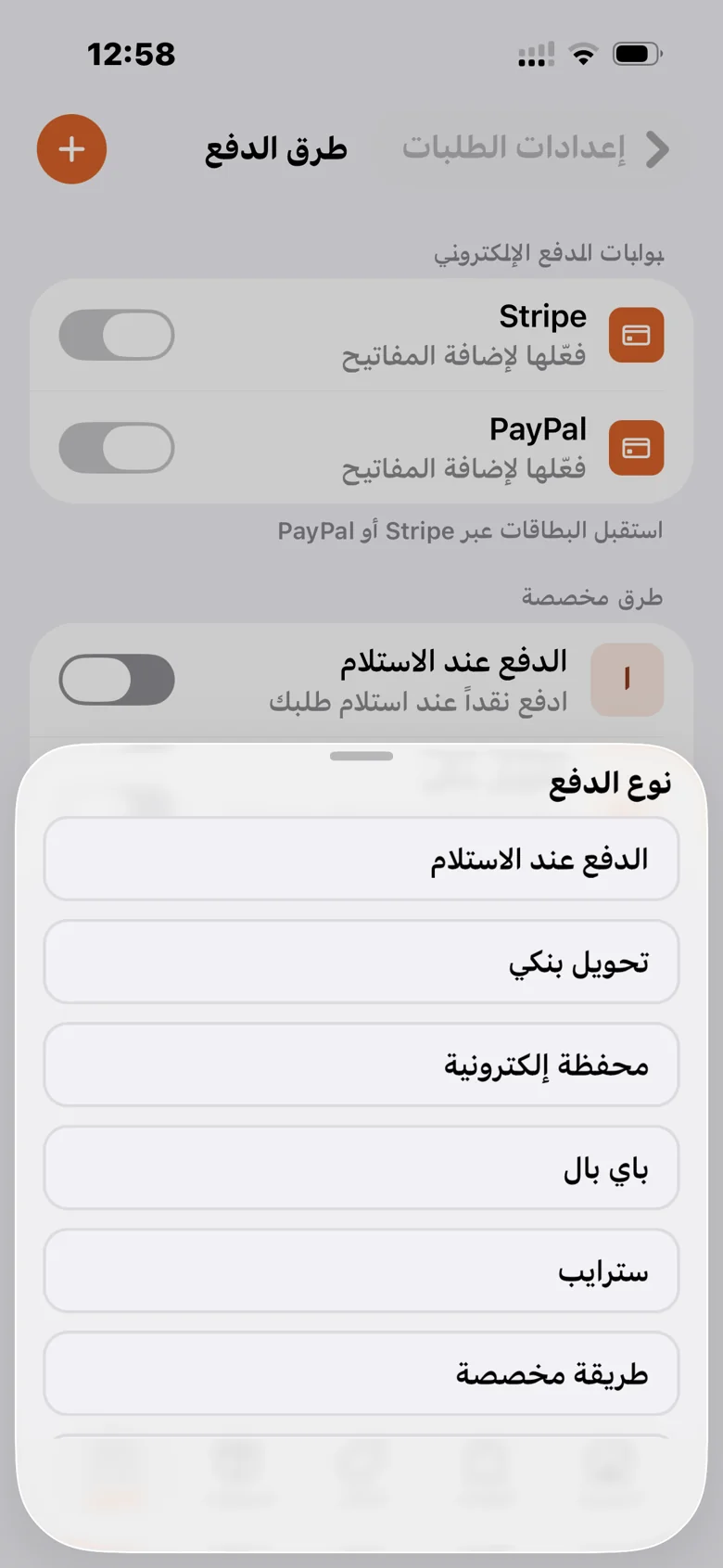
Add cash on delivery to the payment methods available in your store.
Set up bank transfers, electronic wallets, or a custom payment method.
Stripe and PayPal settings let you add connection keys, subject to the provider’s requirements.
Review the method and status in the order details, and update the status when needed.
A practical path to setting up the feature and reviewing it in your store.
Add a payment type that fits your business from payment settings.
Enter the method details or the keys for your payment gateway.
Make it available to customers and follow payment details in their orders.
Your products, orders, and store identity, in one platform.